Photo to cross stitch pattern generator
Crop your photo, clear the background and match every stitch to real DMC floss.
Now showing: Loading sample
Photo prep
Background: Off
Pixel art: Off
Fine tuning
Color tools
DMC colors used (0)
Zoom in to read the symbols
Updating…- Grid
- 120 × 120 stitches
- Stitches
- 0
- DMC colors
- 0
- Skeins to buy
- 0
- Finished size
- 8.57 × 8.57 in
- 21.8 × 21.8 cm
Unlock the Pattern Book PDF
Printable charts, the full DMC legend and every overlap guide for your current design. Instant access with a Pass.
Paid features are free while we finish setting up payments, so your file is being built now.
- Cut fabric
- 14.57 × 14.57 in
- 37.0 × 37.0 cm
- Frame
- 14 in hoop
- Stitching time
- 0 hours
- Unstitched cells
- 0
- Islands under 10
- 0
- Stitches merged
- 0
- Edits · backstitch lines
- 0 · 0
Open one and edit it
Finished examples
The Corgi opens with background removal on, so you can see what a clean edge looks like.
Steps
From snapshot to stitchable chart
- Crop firstChoose a shape, then drag the box so the face fills most of the frame.
- Clear the backgroundTick remove background and raise the tolerance until the edges drop away cleanly.
- Match the size to the detailFaces need at least 100 stitches wide. Check the finished size against your frame.
- Tune colors and confettiStart near 28 colors, keep dithering low and merge islands under 3 stitches.
- Fix the eyes by handZoom to 400 %, then place the highlight stitch that brings the face to life.
Use cases
Photos worth stitching
Before you upload
Photo checklist
Thirty seconds of choosing saves hours of fixing stitches.
| Check | What to look for |
|---|---|
| Contrast | Dark and light areas should separate clearly. Flat, gray photos need more colors to read. |
| Background | A plain wall, sky or sheet removes in one click. Patterned backgrounds need hand work. |
| Face size | Fill at least half the frame width. A small face in a wide shot gets too few stitches. |
| Sharpness | Sharp eyes matter most. Soft focus elsewhere is fine and even helps. |
If the photo fails two of these checks, pick another one. No setting can bring back a face that the camera never captured clearly.
Starting points
Recommended settings by subject
These are starting values to adjust by eye, not rules.
| Subject | Width | Colors | Dither | Confetti |
|---|---|---|---|---|
| Pet portrait | 120 | 24–32 | 20–30 % | Under 3 |
| Face portrait | 140 | 28–40 | 20–40 % | Under 3 |
| Wedding photo | 160 | 32–40 | 20–30 % | Under 2 |
| Landscape | 180 | 24–36 | 30–50 % | Under 5 |
To convert picture to cross stitch pattern step by step, with a figure for each stage, read the picture conversion guide.
From the real engine
Confetti, before and after
The same Corgi crop at 60 % dithering, with cleanup off and at 6.
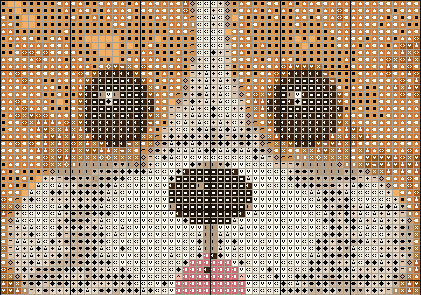
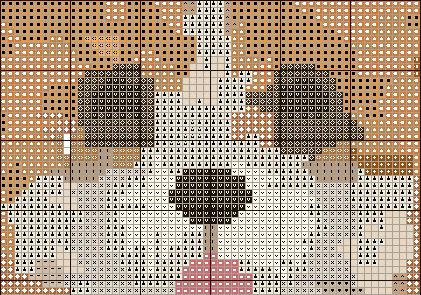
At its default settings, the Corgi goes from 2,283 small islands with cleanup off to 0 at the top setting, after merging 3,739 stitches. The face still reads clearly, and 25 of its 28 colors remain.
FAQ
Common questions
What makes a good photo for cross stitch?
Strong light, a clear subject and a plain background. Fill most of the frame with the face or object, because a 120-stitch chart has only 120 cells across. Blurry, dark or busy photos turn into scattered stitches no matter which settings you use.
How does background removal decide what to remove?
It reads the color in the corners, then floods inward from all four edges through cells within your tolerance, measured in ΔE2000. Reached cells become bare fabric. The same color inside the subject stays, because the flood cannot reach it. Raise the tolerance from the default of 10 for uneven backgrounds.
Which crop should I use for a portrait?
Use 4:5 or 3:4 for head-and-shoulders portraits, 1:1 for pets and hoops, 5:7 for standard frames, and 3:2 or 16:9 for landscapes. Choose a shape, then drag the box on the preview. A 4:5 crop at 100 stitches wide gives a 100 × 125 chart.
Should I turn dithering on for photos?
Use a little. Around 20 to 40 % blends skin and fur without much noise. At 100 % gradients look smooth on screen but the stitches scatter, which means more thread changes. Pair higher dithering with confetti cleanup at 3 or more, then check the chart in the mockup view.
What size should a pet portrait be?
Aim for 100 to 140 stitches wide. The Corgi sample uses 120 × 120 on 14 ct, which finishes at 8.57 × 8.57 in. Under 80 stitches, eyes and whiskers lose their shape. Over 200, a portrait takes months at a relaxed pace.
Why do my photo colors look different in DMC?
Floss comes in fixed shades, so every cell snaps to the nearest DMC number by ΔE2000. A saturated phone photo may have no close match, and hex values on screen are only approximations. Compare the chart with a real shade card before you buy thread.
Can I fix eyes and small details by hand?
Yes. Zoom to 400 % or 800 %, use the eyedropper to pick a nearby color and the pencil to place single stitches. Eyes usually need one bright highlight stitch. Every edit can be undone, with at least 50 steps of history.
Is a wedding photo too detailed for cross stitch?
Group shots lose faces quickly, so crop to one or two people and use at least 160 stitches wide with 32 to 40 colors. Veils and suits need strong contrast. If faces still blur, a stitched quote with a border may suit the occasion better.
The family